
Pairing EGLO LED bulbs with a new remote
If the remote controlling the mirror lighting has to be replaced, the bulbs must be reconfigured and paired with the new remote.
Start by resetting the bulb settings.
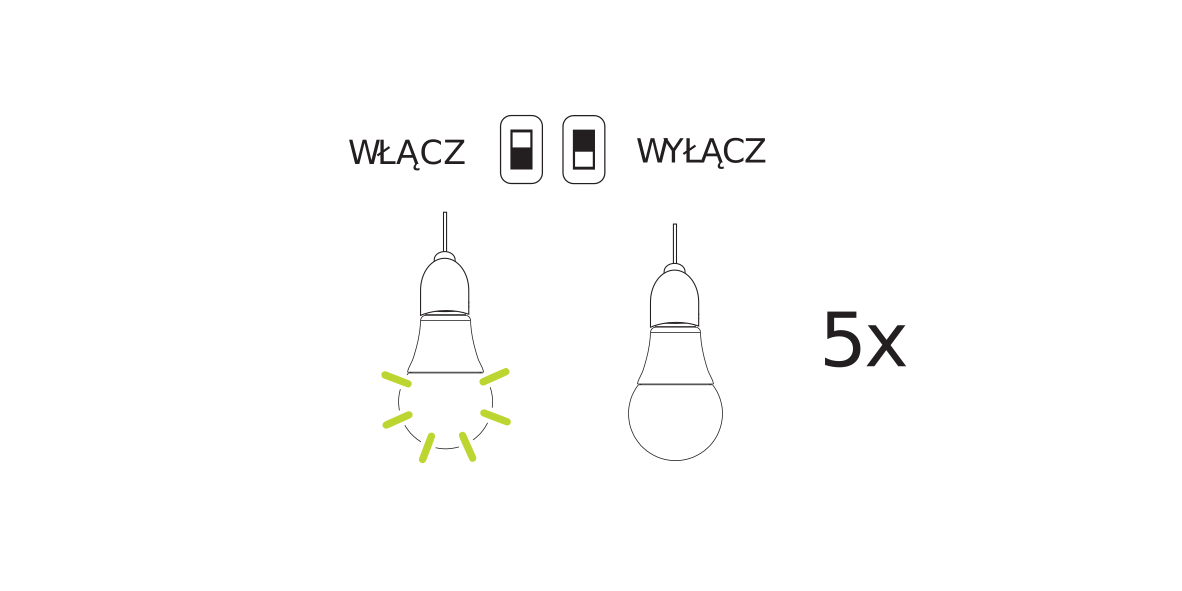
- Switch the lighting on and off - repeat this at the same pace at least 5-6 times.
- This restores the default settings of the bulbs - they light up in a different colour and flash.
- If the bulbs do not react - switch the lighting off, wait a moment and repeat the steps above from the beginning.
If the LED bulbs light up in a different colour, or flash and change colour cyclically, the new remote can be paired with them.
- Switch the lighting on again and pair the remote with the bulbs
- press the ON button on the remote
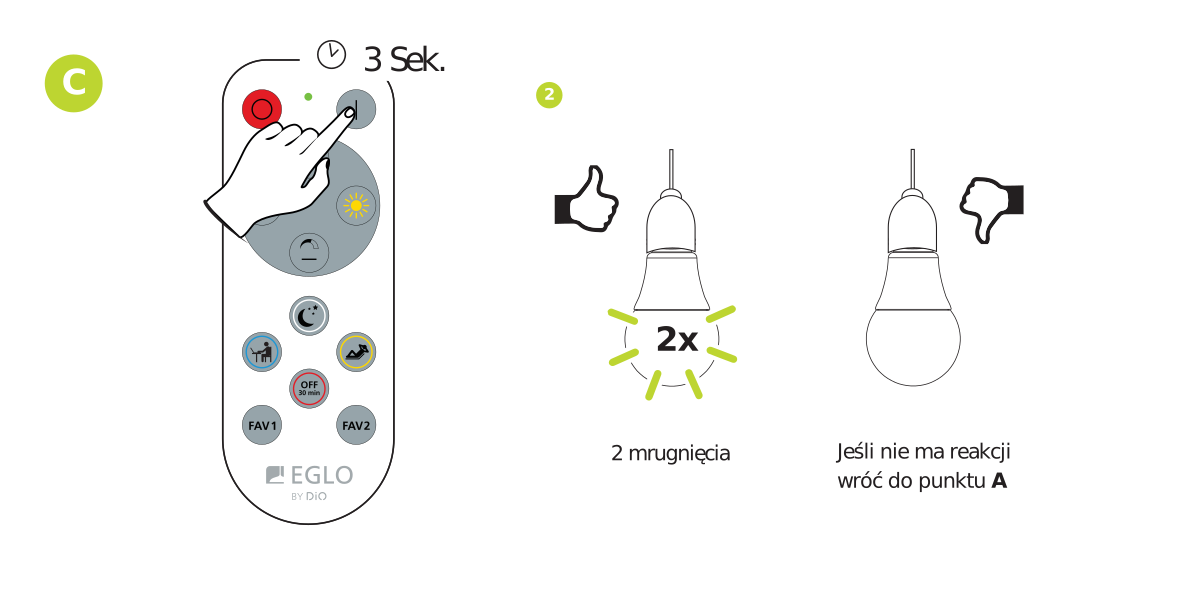
- hold the ON button for 3 seconds until the bulbs flash, confirming the pairing and that the bulbs can be controlled
- press the ON button on the remote
- Check how the individual remote buttons work
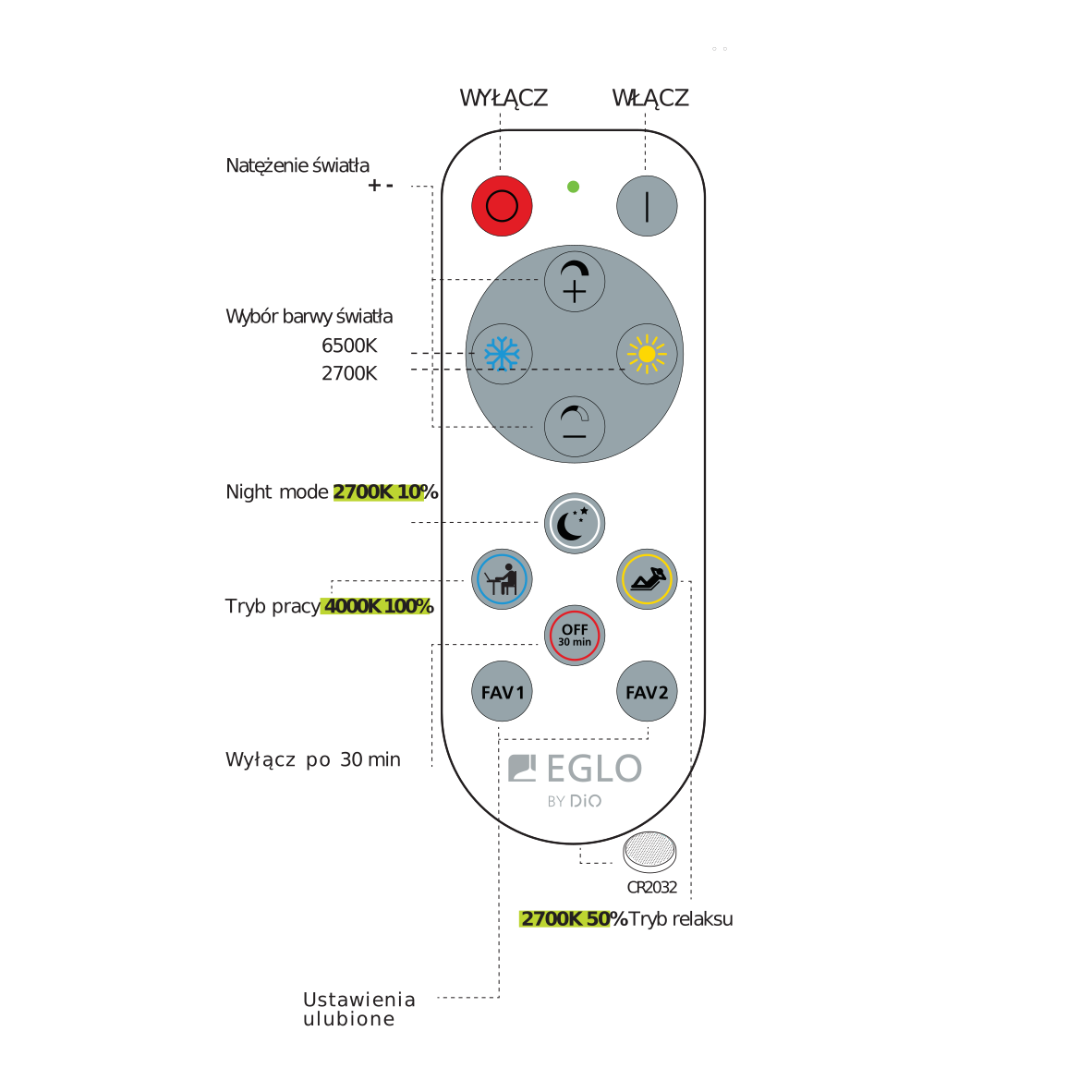
NOTE! With a larger number of LED bulbs, not all of them may react to the remote at the same moment. In that case point the remote closer to the bulb that did not react and repeat the step.